Bad Apple
BadApple.RdA ROM that plays the video Bad Apple.
See vignette("badapple") for more details.
Viewing recommendation: looks much better when viewed from afar or very zoomed out.
BadApple.data stores the compressed video frames, which are decompressed in BadApple$startup().
Format
BadApple | | A ROM object. |
BadApple.data | | Compressed video frames; a list of vectors indicating which pixels flip each frame. |
Details
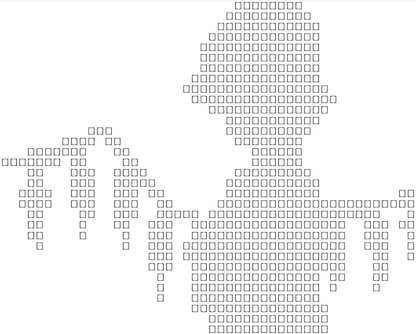
This is a proof of concept for rendering video in rcade. It's actually easier to render video by reading from a local file, but to fit a video to come preinstalled with the package, I had to compress it.
BadApple$startup() reconstructs the video when the RAM is initialized, saving the resultant frames as a single animation in RAM$ROM$sprites. A single object then loops the animation constantly.
The frames are from https://github.com/Timendus/chip-8-bad-apple. rcade can actually run the high-resolution version at full speed, but it experiences significant flickering due to the high volume of pixels.
Compression
BadApple.data is an ordered list of vectors, with each vector corresponding to a frame. Each vector stores the indices of which pixels should flip (black <-> white) compared the previous frame; this allows the video to be iteratively reconstructed losslessly starting from a blank frame.
Much stronger forms of compression have been devised for Bad Apple projects, but this is a simple, naive approach that works well enough for the application. More importantly, rcade shouldn't really require compressed videos since you can read frames directly from a file.