echo Hello WorldRunning R on Android
I was messing around with an old android flipphone of mine and wondered if I could run R on it. Turns out you can, and I even managed to make a repo push with it! This article records the process I went through.
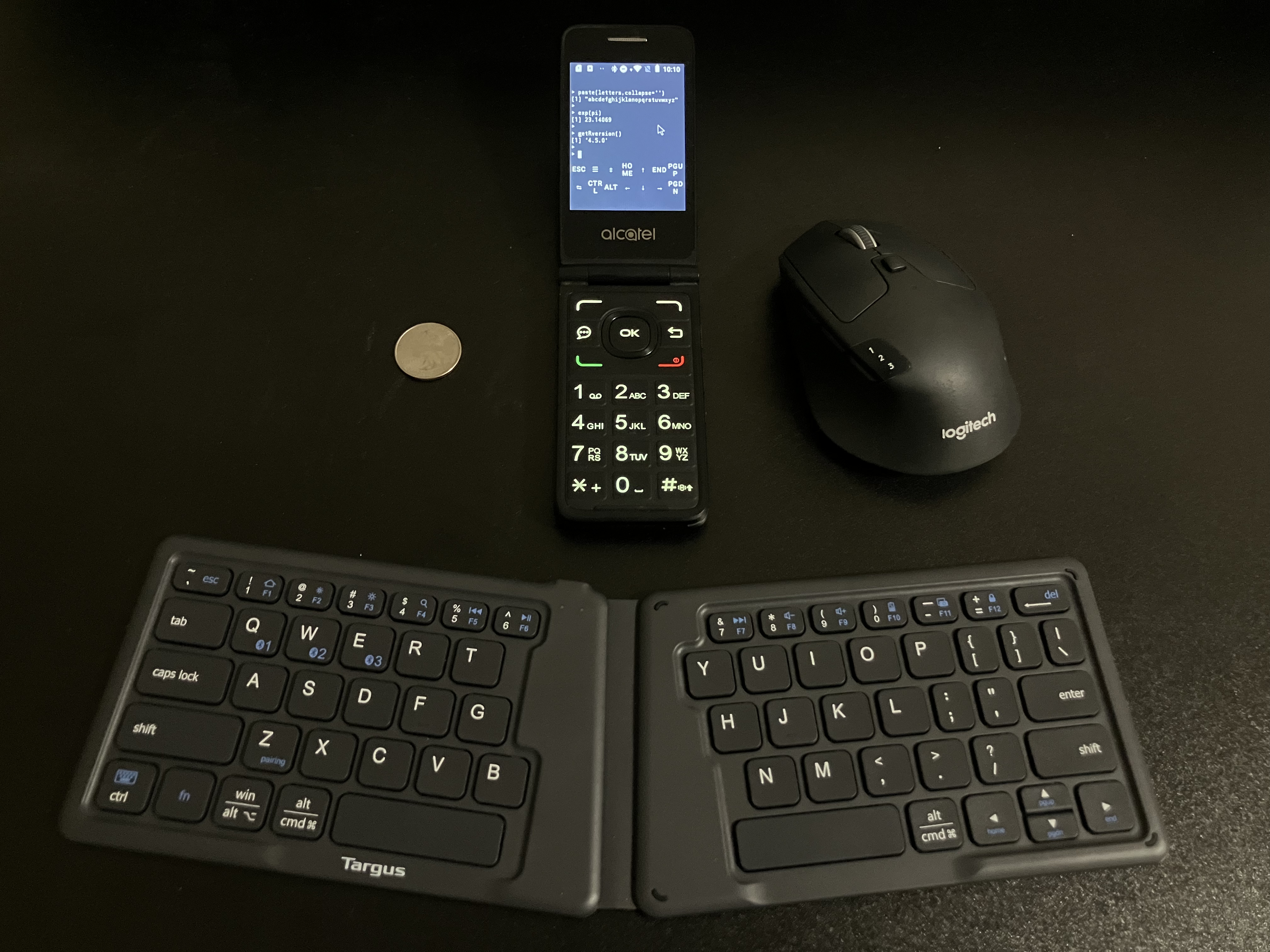
1. Termux: Android Linux Emulator
The first step is to install the Termux app, which emulates a linux terminal with a decent amount of control.
Termux Installation on my Flip Phone
I’m using an old flipphone1 that isn’t really meant to run user-provided APKs. This was the process I figured out (from fragmentary advice online) to install and run arbitrary APKs:
enable dev mode by typing
*#*#33284#*#*(i.e.,*#*#DEBUG#*#*with the keypad)connect phone to computer via microusb, click OK on phone to enable usb file transfer
use https://app.webadb.com to install the APK (“Install APK” on sidebar) via ADB interface. (you can also do the ADB process manually)
(Note: APKs can be uninstalled by opening “Interactive Shell” from the sidebar, finding the app name by running
pm list packages, and then runningpm uninstall -k --user 0 PACKAGENAME)
Once I installed the Termux APK this way, I had to set a main menu shortcut in the settings to be able to launch it.
(To make it easier to launch other APKs, I also installed BlueLineConsole (other launchers didn’t work on this device), which I quite like. For our R purposes we won’t need any APKs other than Termux, though.)
(More APKs: this mouse app looks pretty good, though I haven’t tried it.)
2. Running R in Termux2
install and run the Termux app
ensure you have full keyboard control3 to use the terminal
- install Debian in Termux:
pkg install proot-distro
proot-distro install debian- log into Debian and install R:
proot-distro login debian
apt install r-base-dev- you can now run a regular old R session!
R
print(R.version.string)- install.packages() works for most packages4
install.packages("dplyr")
library(dplyr)
glimpse(iris,32)
Package Compatibility
Tested and working:
dplyrknitrmarkdown`ggplot2`
Failed to install:
devtoolshttr2(you can get around this with clever use ofsystem()and wget)httpuv(I believe this is possible with a patch, but haven’t tried)rmarkdown
3. Git Push with a Flip Phone
Here’s a knitted webpage I wrote and rendered (!) in R and committed to my repo, all on the flip phone.
Of course, I could have written this using nano, but it was more fun to write it as one big string within R.5
txt = "
<this is where I typed the Rmd body>
"
writeLines(knitr::knit2html(text=txt),'phonemarkdown.html')
q() #quit R and go back to the debian CLI
Then I pushed it to my repo (!!) like this:
Setup: First, I needed to authorize the system to push to my repo.
ssh-keygen -t ed25519 -C "<MYEMAIL>" #create new SSH key for github
cat .ssh/id_ed25519.pub #print SSH key
#I then MANUALLY typed the key into my github account
ssh -T git@github.com #verify successful SSH
Commit Push: Now I can push to my repo with the CLI.
apt install git
git clone git@github.com:gbkorr/r-bites.git #clone repo from git
destination="r-bites/flipphone-r" #destination directory
mv phonemarkdown.hmtl $destination #move file into repo
cd $destination
git add phonemarkdown.hmtl #stage file
git commit -m "Created Rmd Page with Flip Phone"
git push #push commit
#then I DELETED the new SSH key on github
#for the sake of security!
What’s the point of all this? It’s really neat, that’s what! Now we know that, in a pinch, you could update your repo with some fresh R code…
Footnotes
An
Alcatel Go Flip Vfrom around 2021.↩︎I got most of this from here. There’s another resource you might see online for running R on Android, but it no longer works!↩︎
I had to connect a bluetooth keyboard since Termux didn’t like the flip phone keypad. I believe the regular touchscreen keyboard (along with Termux’s built-in buttons) should suffice for a normal android phone.↩︎
But typically not the “complex” ones that do clever things with the computer. This is likely due to proot’s (lack of) directory permissions, as suggested here. It should be feasible to build most packages yourself, but it would take a lot of effort.↩︎
It took some trial and error to get the knit to work without
rmarkdown.↩︎